Few Laravel issues are as irritating as uploading a file successfully, then finding the URL returns a 404, broken image, or plain refusal to load. I've seen this catch developers during local builds, cPanel deployments, Docker setups, and rushed production releases. If your Laravel storage link is not working, the problem is usually simple once you know where to look. In this guide, I'll walk through what the link actually does, why it fails, and how I fix it without guesswork. If you run a content writing service for developer audiences, this is the kind of practical troubleshooting readers actually value.
What The Storage Link Does And Why It Breaks
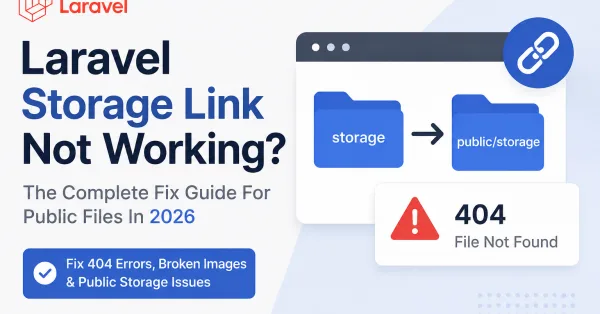
Laravel stores uploaded files in storage/app, while public web access normally happens through the public directory. The php artisan storage:link command creates a symbolic link from public/storage to storage/app/public. In plain English, it tells the web server, "serve these public files from storage through this public path."
When that link is missing, misdirected, or blocked by the server, uploaded files may exist on disk but remain inaccessible in the browser. That's why the issue feels confusing: the upload works, yet the file URL doesn't.
A broken Laravel storage link can also stem from environment differences. Local machines may support symlinks easily, while shared hosting, restrictive permissions, or container volumes may not. I've even seen teams assume it's a code bug when it was really a deployment step that never ran. In technical content, clarity matters as much as code: that's true whether I'm debugging an app or writing for a content writing service.
The Most Common Causes Of A Broken Laravel Storage Link
Most cases come down to a short list.
First, the symbolic link may not exist at all. If public/storage was never created, Laravel can't expose files from storage/app/public.
Second, the symlink may exist but point to the wrong location. This happens after moving a project, changing folder structure, or deploying between servers.
Third, file permissions can block access. The web server might not be allowed to read the target files or traverse the directories.
Fourth, the disk configuration may be wrong. If your app stores files on a disk other than public, but your URLs assume /storage/..., links will fail.
Fifth, the upload path may be inconsistent. For example, storing files with store('uploads', 'local') but generating URLs as if they were on the public disk.
And finally, web server rules can interfere. Nginx, Apache, cPanel, Forge, and container setups can each introduce their own quirks.
How To Diagnose The Problem Step By Step
I usually diagnose this in a fixed order so I don't waste time.
Start by checking whether the symlink exists inside public. If there is no storage entry there, that's your first clue.
Next, inspect where it points. On Linux-based systems, ls -l public will show the symlink target. It should resolve to storage/app/public inside your project.
Then check whether the file really exists in storage. If the app says a file was uploaded, confirm the file is physically present under storage/app/public/....
After that, compare the generated URL with the real path. If the browser requests /storage/images/photo.jpg, the file should exist at storage/app/public/images/photo.jpg.
I also review config/filesystems.php and .env. The public disk should usually use the local driver, point to storage/app/public, and have a URL based on APP_URL.'/storage'.
Finally, I clear caches. Old config values can make a correct setup still behave incorrectly.
Fixing The Link: Commands, Permissions, And Public Disk Settings
Here's the fix sequence I use most often.
First, remove the bad link if it already exists. Then recreate it with Laravel's command:
php artisan storage:link
If Laravel reports the link already exists but it's wrong, delete public/storage and run the command again.
Next, fix permissions. On most Linux servers, directories need execute permission to be traversed and files need read permission. Typical safe settings are 775 for directories and 664 for files, though exact ownership matters more than memorising numbers.
Then verify the public disk config. In config/filesystems.php, it should look broadly like this in logic:
-
root points to
storage/app/public -
url points to
APP_URL/storage -
visibility is
public
If you changed .env or config, run:
-
php artisan config:clear -
php artisan cache:clear -
php artisan config:cache
If you publish content about Laravel troubleshooting through a content writing service, this is where specificity wins. Readers want the exact order, not vague advice like "check your settings".
How File URLs, Upload Paths, And Disk Configuration Affect Access
This is where many developers trip up. A working storage link alone does not guarantee a working file URL.
If you save a file using the public disk, Laravel expects it under storage/app/public, and Storage::url() will generate a /storage/... path. That matches the symlink setup.
But if you save to the local disk, the file may land under storage/app, which is not publicly exposed. In that case, the browser can't access it directly even if storage:link works perfectly.
The same problem appears when developers hard-code paths. For example, saving a file in one folder but generating a URL from another assumption. I prefer using Laravel's storage helpers consistently so the write path and the read path stay aligned.
If your APP_URL is wrong, URLs may also look broken even though the file is present. This is especially common behind proxies, staging domains, or mixed HTTP/HTTPS setups.
How To Prevent Storage Link Problems In Future Deployments
Prevention is mostly about discipline.
I make php artisan storage:link part of the deployment checklist, not a manual afterthought. If your platform supports deployment scripts, automate it.
I also standardise uploads around the public disk when files need direct browser access. Mixing disks casually is where confusion starts.
Another good habit is to test file upload and retrieval immediately after each deployment. One image upload tells you more than ten assumptions.
Keep environment settings consistent too. If local, staging, and production each treat symlinks differently, document that clearly. On some shared hosts, symlink support is limited, and you may need an alternative file-serving approach.
Finally, avoid hard-coded URLs and paths. Use Laravel helpers, keep APP_URL accurate, and version-control your filesystem configuration. The cleaner the setup, the less likely you are to revisit the same bug six months later.
Conclusion
When a Laravel storage link is not working, the fault is usually one of four things: the link itself, permissions, disk configuration, or mismatched file paths. I fix it by checking those in order and confirming the actual file location before touching code. That approach is faster, calmer, and far more reliable than guessing under pressure.
Key Takeaways
-
The Laravel storage link connects public/storage to storage/app/public, enabling web access to uploaded files.
-
If the Laravel storage link is not working, verify its existence, target path, file presence, and correct permissions first.
-
Use php artisan storage:link to recreate the link, and ensure file and directory permissions allow web server access.
-
Align your disk configuration and upload paths correctly, typically using the public disk for files that need browser access.
-
Clear Laravel's config and cache after any changes to disk settings to avoid stale configurations causing issues.
-
Automate the storage link creation during deployments and consistently test file uploads to prevent future problems.
Laravel Storage Link Common Questions
What does the Laravel storage link do and why might it not work?
The Laravel storage link creates a symbolic link from public/storage to storage/app/public, allowing files stored privately to be accessed publicly. It may not work if the link is missing, misdirected, blocked by permissions, or if environment differences interfere.
How can I fix a broken Laravel storage link?
To fix it, delete any incorrect link at public/storage, recreate it using php artisan storage:link, ensure proper file and directory permissions (like 775 for directories), verify disk configuration in config/filesystems.php, and clear Laravel caches.
Why do uploaded files exist on disk but return 404 errors when accessed?
This usually happens if the storage link is missing or incorrect, file permissions prevent access, the disk configuration points elsewhere, or URLs don't match the actual storage path, causing the web server to fail serving the files.
How do file upload paths and disk configuration affect Laravel storage access?
Files saved to the public disk go under storage/app/public with URLs matching /storage/..., aligning with the storage link. Files saved to other disks like local won’t be publicly accessible as their paths don’t correspond to the symbolic link.
Can file permission issues cause the Laravel storage link not to work?
Yes. If the web server lacks execute permissions on directories or read permissions on files within storage, the files won’t load. Correct permissions such as 775 for directories and 664 for files with proper ownership are essential.
How can I prevent storage link problems in future Laravel deployments?
Automate php artisan storage:link in deployment scripts, standardise on the public disk for accessible files, keep APP_URL accurate, avoid hard-coded URLs, test uploads after deployment, and document environment differences clearly for consistency.